
 By
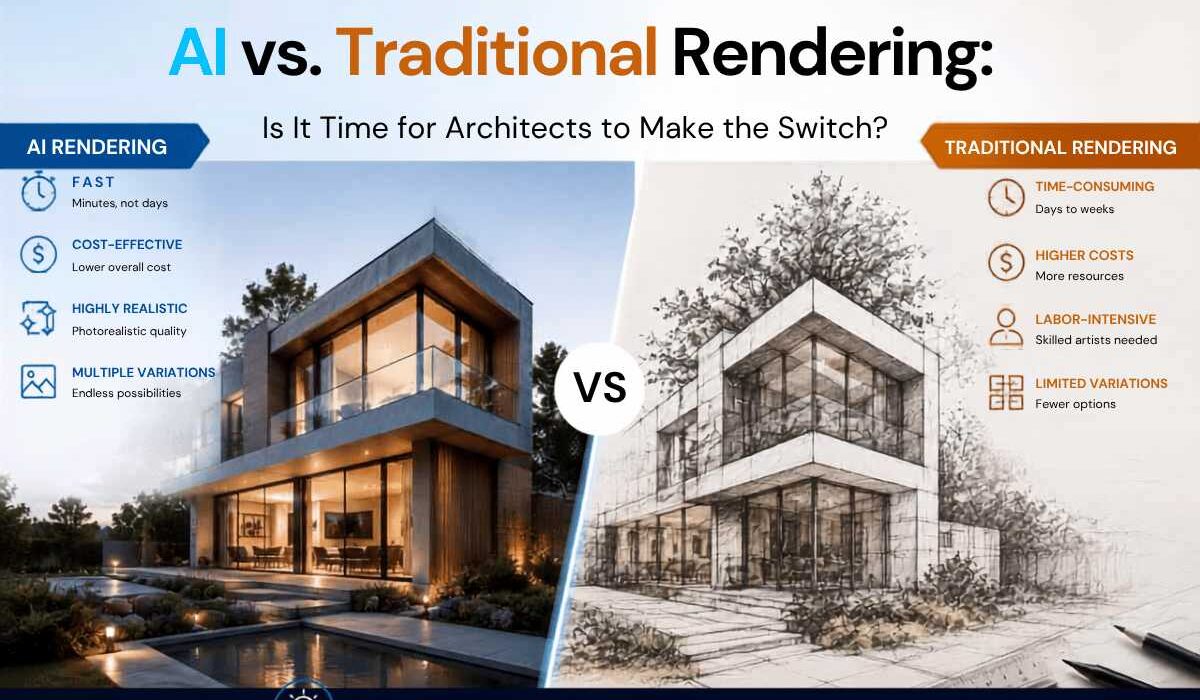
By AI vs. Traditional Rendering: Is It Time for Architects to Make the Switch?
Every architecture studio has had this conversation at least once in the last two years: someone on the team pulls up a photorealistic render generated in under a minute, and the room goes quiet. It looks good. Maybe too good, too fast. And then the question everyone is actually thinking comes out loud — do we still need V-Ray?
It’s a fair question. AI rendering tools have gone from a novelty to something a large share of architects now use regularly for concept work and client communication. But “faster” doesn’t automatically mean “better,” and for a profession where dimensional accuracy and material fidelity carry real liability, the decision to switch — fully, partially, or not at all — deserves more than a five-minute demo video.
This post breaks down what traditional rendering still does better, where AI genuinely wins, and how most studios are actually structuring their workflows in 2026 — because for most firms, this isn’t an either/or decision at all.
What “Traditional Rendering” Actually Means Today
When people say traditional rendering, they usually mean physically-based engines like V-Ray, Corona, or Octane, alongside real-time renderers like Enscape, Twinmotion, and D5 Render. These tools build an image from your actual 3D geometry — every wall, every window mullion, every light source is calculated based on real physics.
That’s the whole point of these engines: what you see in the render is what will actually get built. Light bounces the way light bounces. Glass refracts correctly. A shadow falling across a courtyard at 4 p.m. in October is based on real solar positioning, not a guess.
Real-time engines have already narrowed the speed gap considerably. Enscape and D5 Render can produce walkthrough-quality visuals live inside Revit or SketchUp, which is part of why they’re often the first stop for architects moving away from slower offline renderers. High-end offline engines like V-Ray and Octane are still the standard when a firm needs maximum material accuracy for hero marketing shots, but for day-to-day design development, real-time tools now cover most of the workload.
What AI Rendering Actually Does Differently
AI rendering tools work on a different principle entirely. Instead of calculating physics, most of them take an image — a sketch, a screenshot of your model, a massing study — and generate a new image based on that input, guided by a text prompt or a reference style. Some tools, like Veras, plug directly into Revit, SketchUp, Rhino, and other BIM platforms so architects can generate options without leaving their modeling software. Others are web-based, image-in/image-out platforms where you upload a view and get several stylistic variations back in seconds.
The appeal is obvious once you’ve tried it. A concept that would take an hour to model, light, and render can produce five visual directions in the time it takes to get coffee. For early design phases — client kickoff meetings, mood exploration, “what if we tried this in brick instead of stucco” conversations — that speed is transformative.
But there’s a catch, and it’s not a small one.
The Accuracy Problem Nobody Should Ignore
AI image generators are pattern-matching engines, not physics engines. They’ve learned what buildings tend to look like, not what your building actually is. That distinction matters enormously in professional practice.
Ask an AI renderer to visualize a facade from a new angle and it may invent details that were never in your model — an extra window, a slightly different roofline, a terrace that doesn’t exist. Scale can drift too, since the tool has no real concept of dimension, only visual plausibility. For early concept sketches shown internally, that’s a minor annoyance. For a client-facing image that gets mistaken for an accurate representation of the design, it’s a liability problem. A recent industry survey found that a large majority of U.S. architecture firm leaders remain concerned about AI inaccuracy in professional output — and that concern is well-founded, not just resistance to change.
This is why the tools that preserve your actual geometry — rather than reinterpreting a flat image — tend to hold up better for anything beyond mood boards. Platforms that let you import real 3D model files and render from that underlying geometry avoid a lot of the “invented architecture” problem that plagues pure image-to-image tools.
There’s also a consistency issue worth flagging. Ask a traditional renderer for the same building from four different camera angles and you’ll get four views of one coherent structure, because the underlying model doesn’t change. Ask many AI tools to do the same thing and each generation is, in a sense, starting fresh — reinterpreting the input image each time rather than referencing a persistent 3D model. That can lead to a front elevation and a rear elevation that don’t quite agree with each other on window placement or roof geometry. For internal ideation, that’s forgivable. For a client who’s comparing renders side by side, it can undermine confidence in the whole presentation.
None of this means AI output is untrustworthy by default — it means the burden shifts to the architect to review and flag what’s real versus what’s generated gloss, the same way you’d sanity-check any drafting tool’s output before it goes out the door.
Speed and Cost: Where AI Clearly Wins
Let’s not undersell the practical case for AI rendering, because it’s real. Traditional high-end rendering requires either a powerful local GPU or a render farm, plus the time and skill to set up materials, lighting, and camera angles correctly. That’s a meaningful barrier for smaller studios and solo practitioners.
AI rendering tools mostly run in the cloud, need no specialized hardware, and typically cost less per image than the compute and labor behind a traditional render. There’s also close to no learning curve — a junior designer can generate usable concept visuals on day one, where mastering V-Ray or Octane can take months. For firms that need to turn around client options quickly, or that pitch multiple design directions before a project is even greenlit, this speed is a genuine competitive advantage.
Industry-wide, the trend line is clear too. Recent survey data indicates that the strong majority of architects believe AI is saving them time, and rendering is consistently cited as the workflow stage where those time savings show up most.
There’s a client-relationship angle here too that’s easy to overlook. Design conversations move faster when a client can react to an actual image instead of a verbal description or a rough massing model. Being able to generate three material options or two lighting moods on the spot, during a meeting, changes the texture of that conversation — it becomes collaborative rather than a one-way presentation. That kind of responsiveness was simply not realistic with traditional rendering pipelines, where even a quick material swap could mean a re-render that takes minutes or hours depending on scene complexity.
So, Should Architects Switch?
The honest answer: most firms shouldn’t switch, they should combine. Almost none of the studios seeing real benefit from AI rendering have abandoned their traditional tools — they’ve added AI to the front of the pipeline and kept traditional rendering at the back.
A workflow that’s becoming common looks something like this:
Early concept and client pitches — AI rendering tools generate multiple design directions fast, helping clients react to options before the team commits real modeling time to any single direction.
Design development — Real-time engines like Enscape, Twinmotion, or D5 Render take over once the design is locked into BIM software, giving the team physically accurate, editable visuals as the project evolves.
Final marketing and construction documentation imagery — High-end offline renderers like V-Ray or Octane produce the polished, dimensionally reliable images used in permit sets, investor decks, and marketing materials, where accuracy isn’t optional.
This layered approach lets firms capture AI’s speed advantage where it matters most — fast iteration and client engagement — without exposing themselves to the accuracy risks of relying on AI-generated images for anything load-bearing, so to speak.
Questions to Ask Before You Commit to a Tool
If you’re evaluating AI rendering software for your studio, a few questions will tell you more than any demo reel:
- Does it work from your actual 3D geometry, or just a flat image? Tools that import real model files and render from that geometry are far less likely to invent details that don’t exist in your design.
- Can multiple views stay consistent? If you generate a render from three different angles, do they describe the same building, or does the AI start improvising?
- Does it integrate with your existing BIM or CAD software? A tool that lives inside Revit, SketchUp, or Rhino saves the export-import cycle that eats up a lot of the time savings AI promises.
- What’s the actual cost at your studio’s volume? Per-image credit systems can add up quickly for firms producing dozens of options per project — run the math before committing to a plan.
The Bottom Line
AI rendering isn’t replacing traditional rendering in 2026, and it probably won’t anytime soon — the physics-based accuracy of engines like V-Ray, Enscape, and D5 Render is still essential for anything that needs to represent a building truthfully. But treating AI rendering as a passing trend would be a mistake too. It has already changed how fast architects can explore ideas and communicate with clients, and that speed advantage is only going to become more central to how design teams work.
The real shift isn’t AI versus traditional rendering. It’s architects learning to use each tool for what it’s actually good at — and building a pipeline that gets the speed of AI without gambling on its accuracy where accuracy counts.