
 By
By AI Rendering for Architects
Every architect knows the pressure of a looming presentation. The design is solid, but the visuals take days of modeling, lighting setup, and waiting for renders to finish. AI rendering for architects is changing that equation. What once took hours can now be done in minutes, without sacrificing quality or creative control.
In this guide, you will learn what AI rendering for architects actually is, how it works, which tools are worth exploring, and how to build it into your design workflow.
What Is AI Rendering for Architects?
AI rendering uses machine learning models to generate or enhance architectural visuals. Instead of calculating light paths and materials from scratch, as traditional engines do, AI models draw on patterns learned from millions of images to produce realistic results.
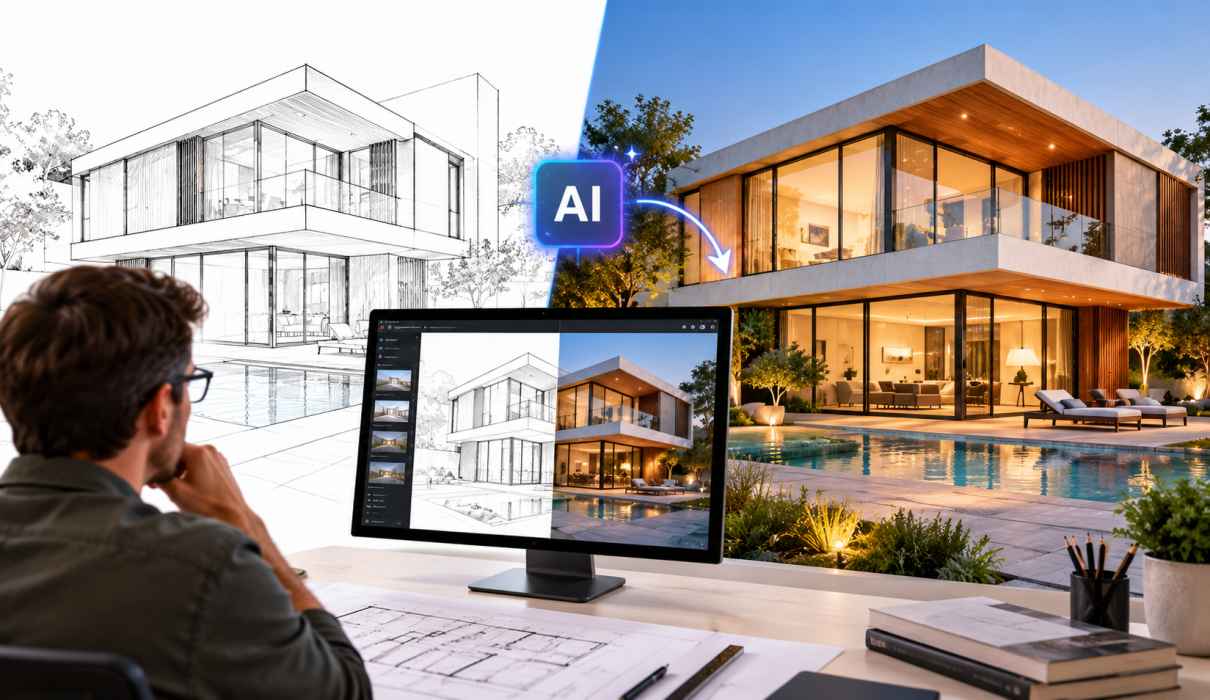
In practice, AI rendering for architects usually starts with something simple: a SketchUp screenshot, a Revit view, a hand sketch, or a basic 3D massing model. You add a text prompt describing the materials, mood, and setting, and the AI produces a photorealistic image based on your geometry.
This is very different from classic rendering software. Traditional tools need detailed models, accurate textures, and careful lighting. AI rendering for architects shortens that chain dramatically, which is why adoption is growing so quickly across studios of every size.
Why Architects Are Turning to AI Rendering
The appeal goes well beyond novelty. Here are the main reasons firms are adopting AI rendering for architects.
1. Speed That Transforms Your Workflow
A traditional render can take anywhere from several minutes to several hours. With AI, you can generate multiple high-quality images in seconds. This lets you test ideas during the design process rather than only at the end.
2. Lower Costs
Outsourcing visualization is expensive, and in-house rendering ties up powerful hardware and skilled staff. AI rendering for architects reduces both costs. Small studios and solo practitioners can now produce visuals that previously required a dedicated visualization team.
3. Faster Design Iteration
Want to see your facade in brick, timber, and glass? Curious how the lobby looks at sunrise versus dusk? AI makes variations almost effortless, so you can explore far more options before committing to a direction.
4. Stronger Client Communication
Clients often struggle to read plans and sections. Realistic imagery helps them understand your vision early, which means fewer misunderstandings and faster approvals. Many architects find that AI rendering for architects improves the quality of early feedback because clients react to something they can actually picture.
How AI Rendering Fits Into the Architectural Workflow
The most successful firms treat AI as a complement to their existing process rather than a replacement. A typical workflow looks like this:
- Concept stage: Turn rough sketches or massing models into mood images for early discussions.
- Schematic design: Compare materials, lighting, and context quickly.
- Design development: Use AI to polish views from your BIM or 3D model.
- Presentation: Produce atmospheric hero images for pitches and competitions.
At each stage, AI rendering for architects saves time while keeping the designer in control. Your geometry, proportions, and decisions remain yours. The AI handles the heavy lifting of lighting, texture, and atmosphere.
Popular Use Cases
- Exterior visualization: Generate realistic building exteriors with landscaping, sky, and surrounding context.
- Interior design: Test furniture, finishes, and lighting moods in seconds.
- Sketch-to-render: Convert hand drawings into polished visuals.
- Urban planning: Illustrate streetscapes and masterplans for public consultation.
- Renovation concepts: Show clients how an existing space could look after remodeling.
These applications show why AI rendering for architects is useful at nearly every scale, from a small residential extension to a large mixed-use development.
AI Rendering Tools Architects Are Using
The market moves fast, and new platforms appear constantly. Some of the most discussed options include:
- Veras: Built to work inside tools like SketchUp and Revit, it generates renderings directly from your model view.
- Midjourney: Popular for striking concept imagery and atmospheric exploration.
- Stable Diffusion (with ControlNet): A flexible, open-source option that lets you guide results using your own line work or depth maps.
- mnml.ai and similar platforms: Browser-based tools designed specifically for architectural visualization.
- D5 Render: A real-time renderer that now includes AI-assisted features.
When evaluating tools, consider how well each one respects your geometry, how easy it is to integrate with your software, and what its licensing terms say about commercial use. The right choice depends on your workflow, budget, and the level of control you need. Features and pricing change often, so check each provider’s current offering before committing.
Tips for Getting Better Results
Good output depends on good input. These practical tips will help you get more from AI rendering for architects:
Start with a clean base image. A clear, well-composed view of your model gives the AI a strong foundation. Messy or cluttered inputs lead to unpredictable results.
Write specific prompts. Instead of “modern house,” try “two-storey modern house with timber cladding, large glazing, warm evening light, surrounding landscaping.” Detail guides the result.
Describe materials, light, and mood. Mention time of day, weather, camera angle, and atmosphere. These elements shape the realism of the final image.
Iterate in small steps. Adjust one variable at a time so you understand what changes the outcome.
Keep your design intent in charge. Use AI to visualize your ideas, not to replace them. If the result drifts from your design, refine your input rather than accepting it.
Finish with post-production. A light touch in Photoshop or similar software, such as color correction or removing artifacts, can lift an image from good to excellent.
Limitations to Keep in Mind
AI rendering for architects is powerful, but it is not perfect. Being aware of its limits helps you use it responsibly.
- Accuracy: AI may alter proportions, invent details, or misinterpret fine geometry. Always verify output against your actual drawings.
- Consistency: Generating the same building from multiple angles with identical details can be difficult.
- Technical documentation: AI images are not substitutes for construction drawings or code-compliant documentation.
- Copyright and ethics: Review each tool’s licensing terms, and be transparent with clients about how images were produced.
- Expectation management: A striking render can set expectations that the built project must meet. Make sure visuals reflect what is actually feasible.
Treat AI visuals as communication tools, not contractual representations of the final building.
The Future of AI Rendering for Architects
The technology is advancing rapidly. Expect better control over geometry, more reliable consistency across views, tighter integration with BIM software, and even AI-generated walkthroughs and animations. As these capabilities mature, AI rendering for architects will likely become a standard part of everyday practice, much like CAD did in earlier decades.
Firms that experiment now will build skills and workflows that give them an edge. The architects who benefit most will be those who combine design judgment with smart use of these tools.
Frequently Asked Questions
Will AI replace architectural visualizers? Not likely. AI speeds up production, but visualizers bring artistic direction, technical knowledge, and storytelling that automation cannot match. Many professionals are using AI to enhance their own work.
Is AI rendering for architects suitable for final presentations? Yes, in many cases, especially with careful input and post-production. For high-stakes deliverables, many firms still blend AI imagery with traditional rendering for maximum accuracy.
Do I need technical skills to start? Basic familiarity with 3D modeling or sketching and a willingness to experiment with prompts is enough. Most platforms are designed to be approachable.
How much does AI rendering cost? Pricing ranges from free tiers to monthly subscriptions, depending on the platform and usage. It is usually far less than outsourcing visualization.
Conclusion
AI rendering for architects is more than a passing trend. It gives designers faster iteration, lower costs, and a clearer way to communicate ideas to clients. Used thoughtfully, it frees you to spend less time waiting on renders and more time on what matters most: designing great buildings.
Start small. Try AI rendering for architects on a concept sketch or a single interior view, learn how the tool responds, and build from there. With the right approach, your next presentation could be your most compelling yet.